
I was the UX lead for this investment project to build a tool that would allow users to update the data for their Scopus institution profiles. I joined this special project from almost the very beginning and was dedicated to work on it for the initial concept phase through two development phases. I worked very closely with the development lead and product manager (there were 3 PMs over the course of the whole project). In terms of data and design this was the most complex project I have ever worked on, but the tool was delivered on time and on budget.
Background & concept research
Information architecture
Wireframing
Design
User testing
Background & concept research
Scopus institution profiles are generated algorithmically from documents. There are a variety of ways that errors happen. That same Scopus data is used by the agencies that rank universities so it is important that institutions can review and correct their data.
With this in mind, the product manager and I completed a “world tour” talking to a variety of institutions in the US, Canada, UK, Ireland, China, and Japan. We collected information to better understand institutions’ problems and needs.
The product manager developed a business case, and received funding for this special project to create this tool.
Information architecture
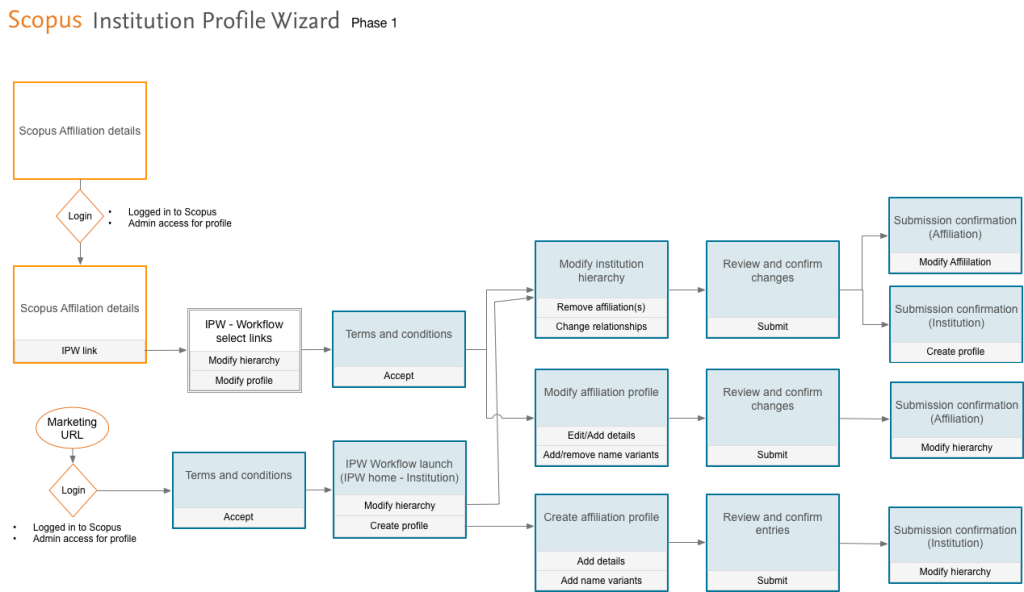
Wireframing
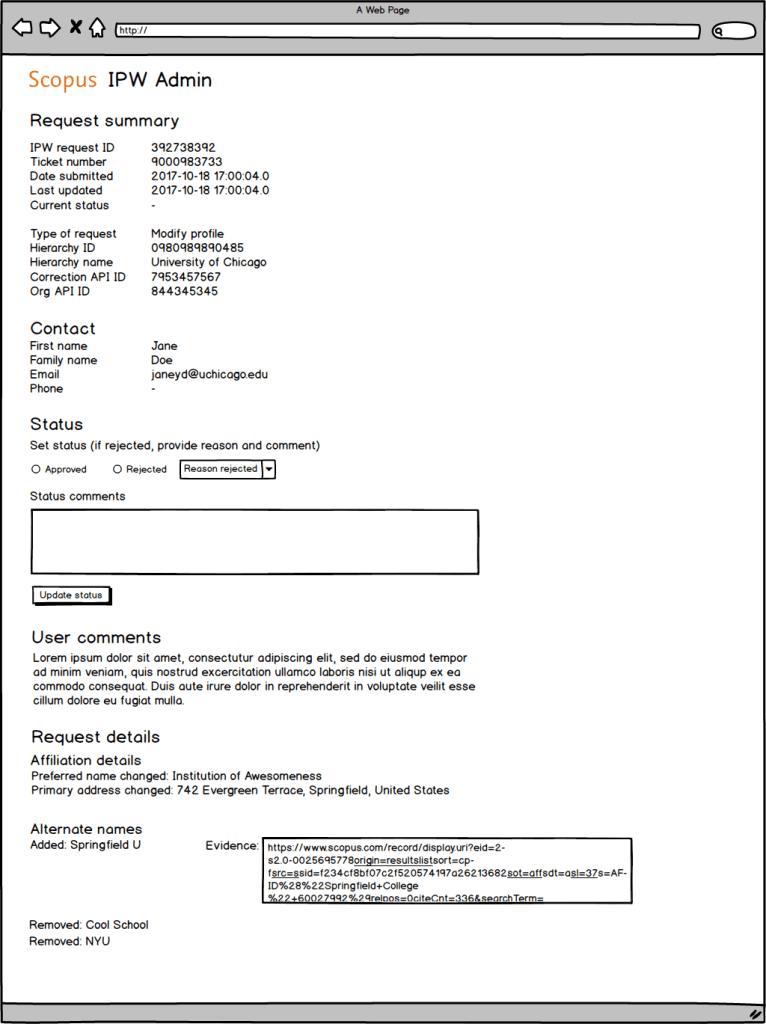
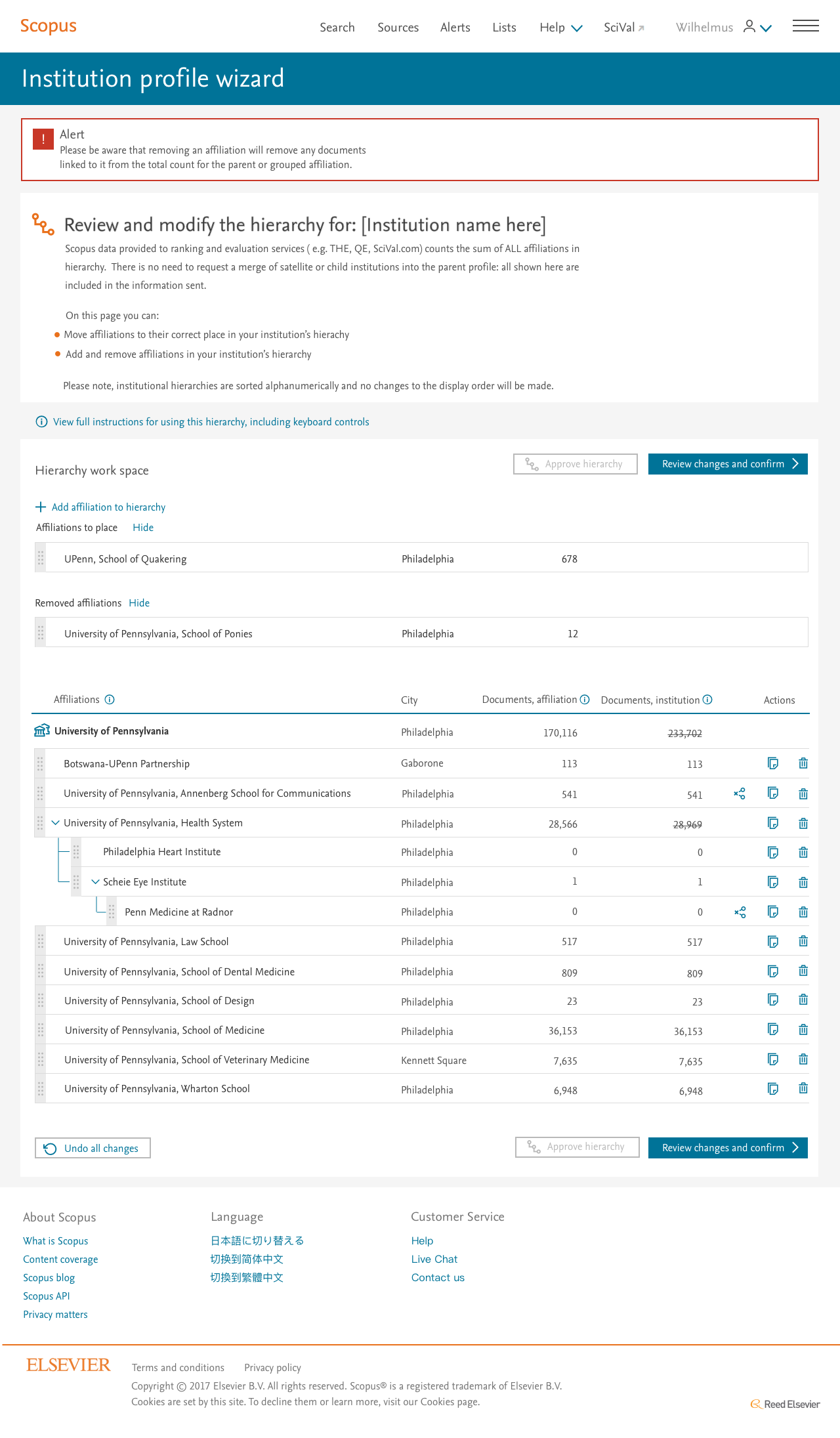
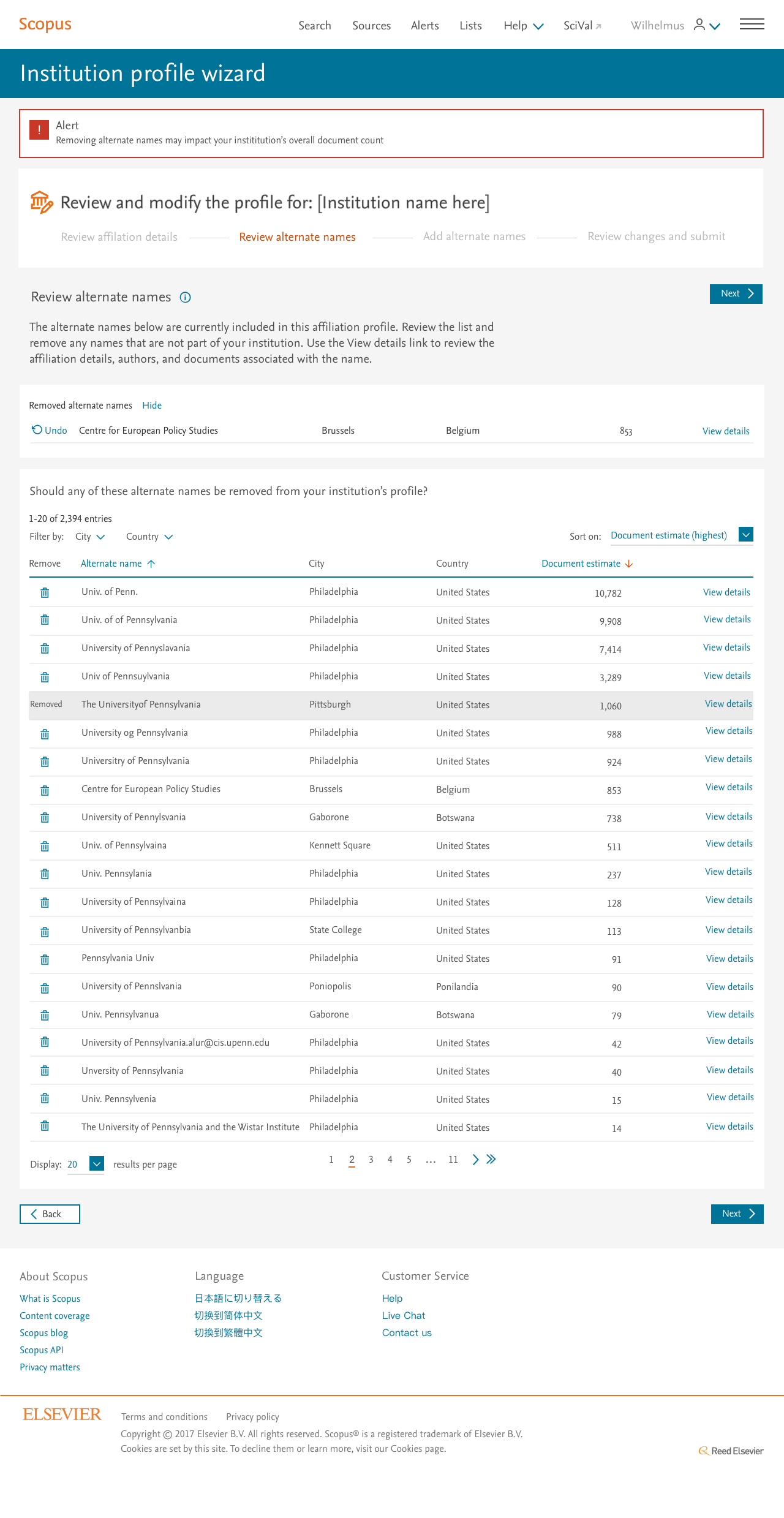
Design
User testing
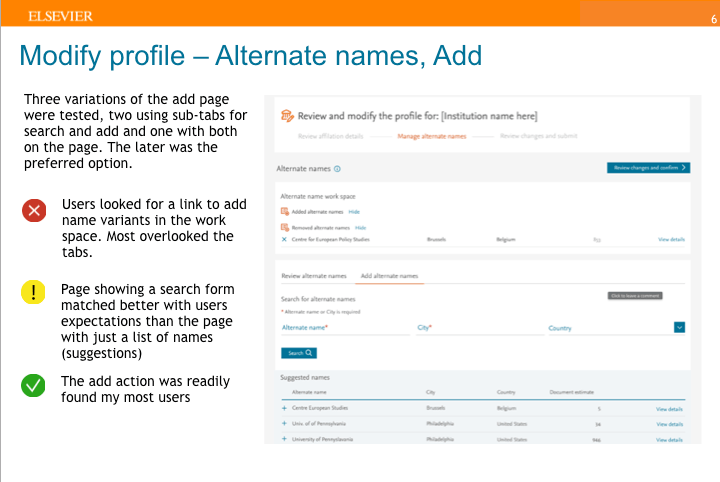
I followed up with user testing of the designs during at the end of phase 1 and during phase 2. The main challenge with testing this project was a very small user base as the tool was intended to be used by 1 or 2 people per institution. I worked with the sales team to recruit research managers for our sessions. Still testing uncovered many issues that I addressed in the final designs, and that also led to enhancements of the already launched designs.
 Dana Kite - The UX Hero You Need