
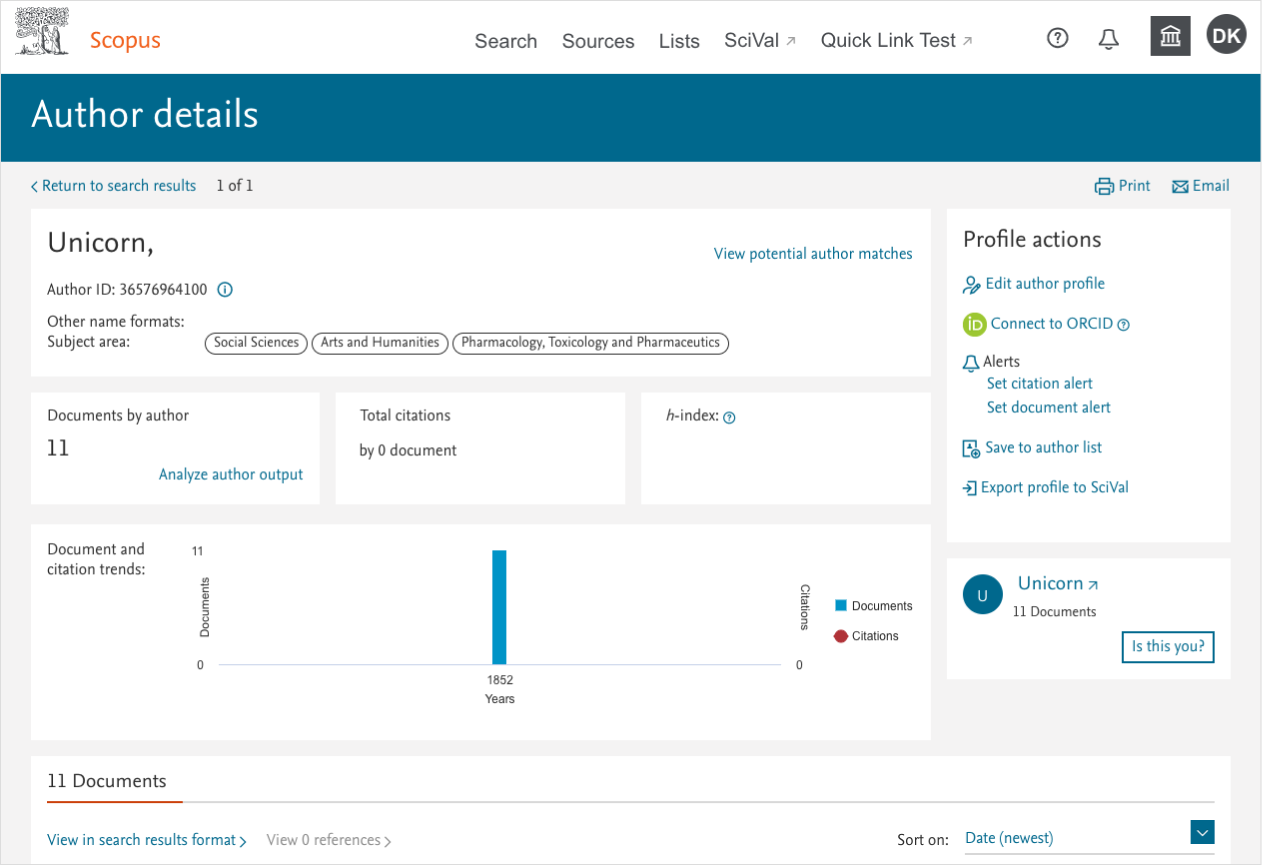
I was the UX lead for squad responsible for author journey on Scopus. As the development team is worked to update the Scopus backend, I am worked with the product manager to redesign the author profile experience.
The starting point
Understanding users/use cases
Preliminary designs
Next steps
The starting point
Understanding user/use cases
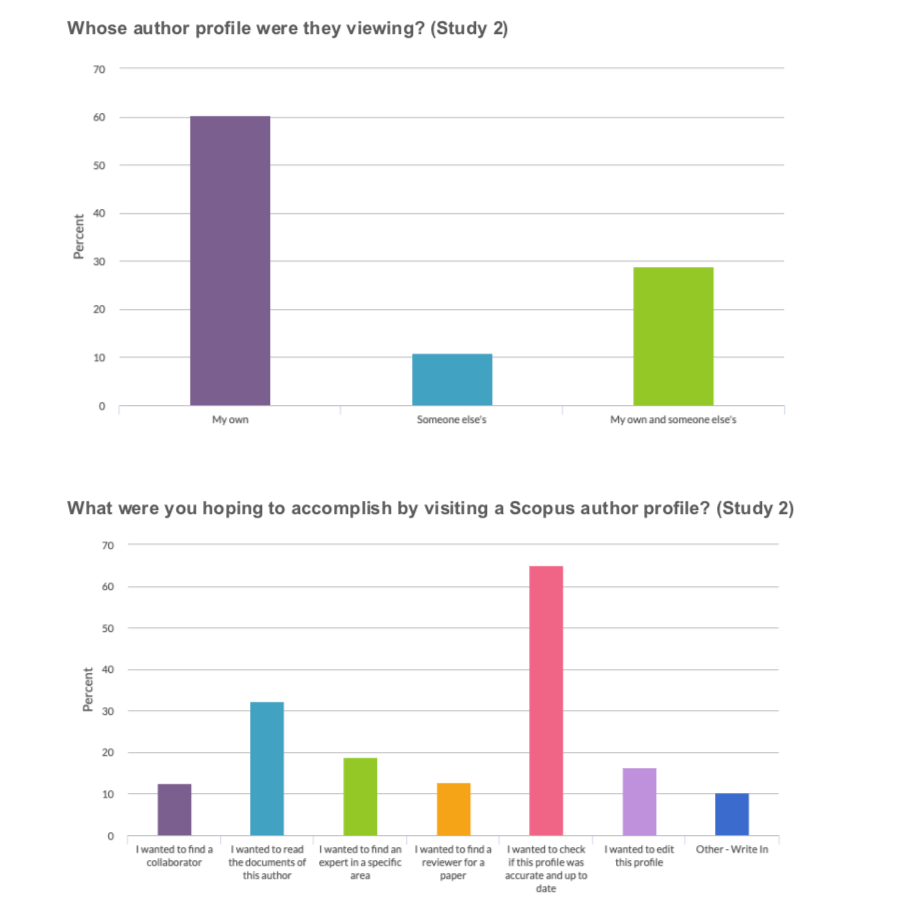
I created two click tests/surveys using Pendo to recruit from the author profile pages to help us better understand what users goals were when using Scopus author profiles. Based on that information, we are redesigned the page to help user assess authors with Scopus, both for their own profile and for others.
Preliminary designs
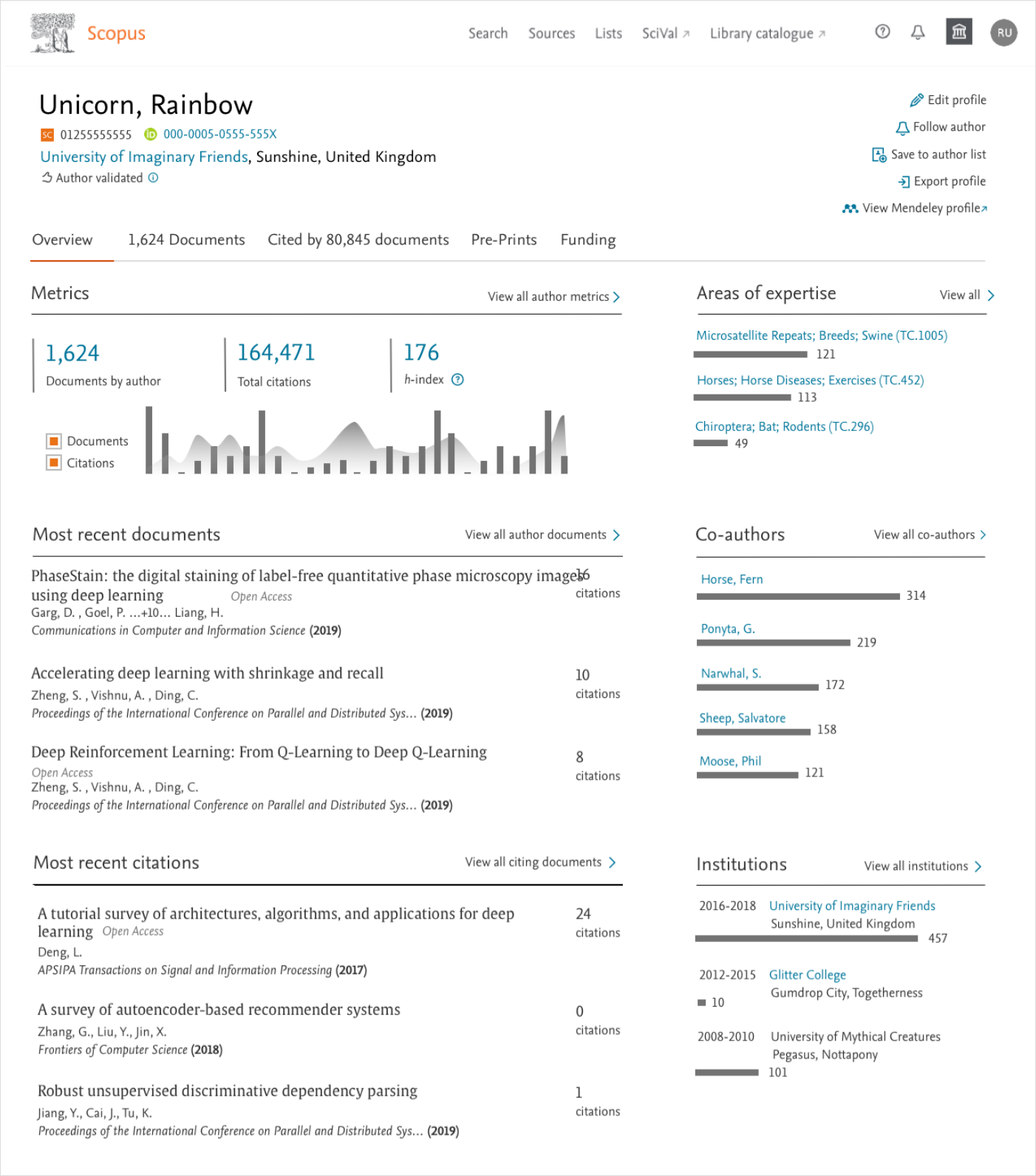
I created two primary versions of the profile page. One version [Dashboard] has snippets of all the available content on an overview tab. The other [Document] represents a change in thinking about profiles, and puts the author documents front and center.

Next steps
I created a UserZoom test to gather feedback on both versions. With this and 1-1 remote testing, I hoped to narrow to one of the version for further iterations.
Additionally, I am worked with the product manager to gather feedback on some of the content. We had a variety of data available for display related to author expertise. I worked with a UX colleague to build a prototype to pull live data we can get in front of users.
At this point, the product manager I was working with left Elsevier. I moved on working on another product. Parts of the designs I created did make it to production.
 Dana Kite - The UX Hero You Need